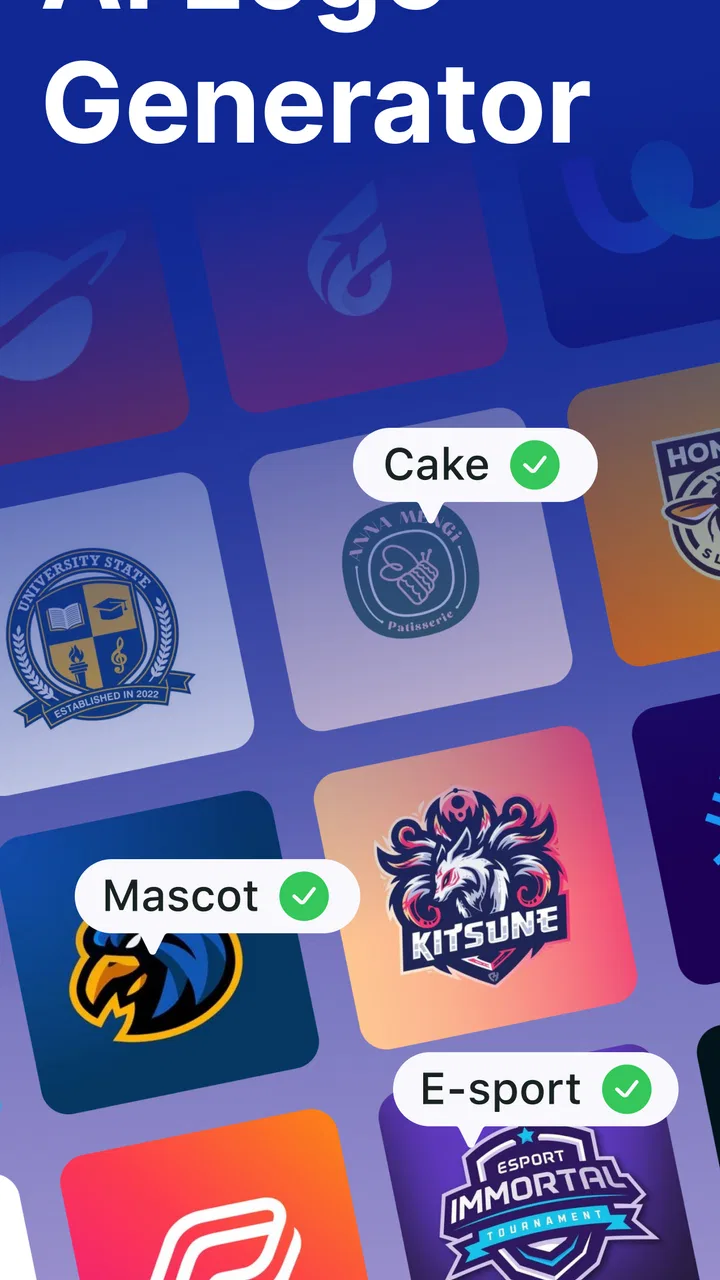
AI Logo Generator Logo Maker
- 4.6
- Rating
- 1.00M
- Installs
- Free
- Price
 Analysis by App-foxy
I tried AI Logo Generator Logo Maker as a quick branding tool on a shared device, and my first impression was that it is aimed at people who need a usable starting point rather than a complete identity system. It belongs to the business category, is free to install, and is developed by Identifier Studio. The central idea is simple: describe or select the kind of visual identity you want, then use the generated result as a base for a business, side project, social profile, shop, or personal service.
That focus makes it easy to understand, especially when several people in a household or small team need to work on one idea without opening a full desktop design suite. I would recommend it to someone who needs to explore logo directions quickly. I would not treat it as a replacement for a professional designer when the logo must become a carefully controlled brand asset across packaging, signage, print, and multiple digital formats.
How it works when several people share the same device
A realistic use case is a family member preparing to sell handmade items, while another person uses the same phone for a local service or a school project. In that situation, the app is useful because logo exploration can happen in short sessions. One person can create a few ideas, save or export the preferred result through the available workflow, and then hand the device to the next user.
You May Also Like

 Blood Strike: 2.5 Anniversary
Blood Strike’s Loadouts Turn Every Drop Into a Tactical Gamble
A close look at Blood Strike’s custom loadouts: how fast access to signature weapons reshapes its battle royale rhythm, rewards preparation, and narrows the gap between fights.

 Pandora - Music & Podcasts
Pandora’s Music Is Easy to Start, but Harder to Recover
Pandora’s strength is its low-effort path from a seed to a station. Its weak spot is how much confidence it asks you to place in connection, setup, and quiet recovery.

 8 Ball Pool
 Is Built on Rivalries, Rematches, and Routine
A close look at the rivalries, rematches, shared routines, and unanswered safety questions that turn a quick pool match into a persistent mobile community.

 Samsung Music
’s Quiet Strength Is Playing What You Already Own
Its reach comes less from spectacle than from dependable access to a personal library. That simplicity is both the app’s strongest retention engine and its ceiling.

 AccuWeather: Weather Radar
AccuWeather Review: A Quick, Clear Forecast for Everyday Decisions
For everyday plans, the best forecast is the one you can understand quickly. AccuWeather makes rain timing, radar, and local conditions easy to act on, with a few trade-offs.

 Hill Climb Racing
Why Hill Climb Racing Still Turns Crashes Into One More Run
A tiny car, a bumpy hill and one more upgrade: Hill Climb Racing keeps resurfacing because its simple chaos makes every near-miss feel personal.
More From Our News Desk



The important practical boundary is that a shared device is not the same thing as a shared workspace. I would keep each person’s project names, drafts, and chosen files clearly separated outside the app, using a consistent naming habit such as the business name followed by the date. That small step prevents confusion when several similar-looking logos are created in succession.
I also found that the app makes more sense when the user arrives with a basic direction already in mind. “A logo for a business” is too broad to guide a good decision. A better starting point is to define the audience, the mood, the main color preference, and where the logo will appear first. A neighborhood repair service, a children’s craft shop, and a serious consulting practice should not be judged by the same visual standard.
The strongest household workflow is rapid exploration followed by a deliberate review. Let one person generate ideas, then ask the actual owner of the project to choose the direction. This avoids a common problem with shared creative tools: everyone contributes opinions, but nobody decides what the logo is supposed to communicate.
Keeping projects understandable between users
Because this is an AI logo maker rather than a full team-management platform, I would not use it as the only place to coordinate a group project. A shared note, message thread, or folder is still useful for recording which concept was selected, which colors were rejected, and what changes are needed. The app can help produce visual options, but the surrounding organization has to come from the people using it.
This distinction matters for families. A teenager may create a playful logo for a small project, while a parent may need something more restrained for a service business. Both can use the same tool, but they should not assume that the app will understand the difference automatically. The person reviewing the result still needs to check spelling, readability, tone, and whether the image makes sense for the intended audience.
I would also avoid treating the first attractive result as finished. AI-generated designs can look convincing at a glance while containing awkward spacing, overly decorative lettering, or symbols that do not fit the business. Looking at the logo at small size is especially useful. If the name becomes difficult to read when reduced for a profile image, the design needs another pass even if it looks impressive on the phone screen.
Setup boundaries and what to decide before creating a logo
The app is free to use in its basic sense, with optional in-app purchases ranging from $0.49 to $39.99 per item. That makes it approachable for casual experimentation, but I would still check the purchase screen carefully before confirming anything. On a shared device, this is particularly important because a child, guest, or family member may tap through a paid option without realizing that the action is not part of the free experience.
I would establish a simple rule before handing over the phone: everyone may explore, but only the project owner decides whether anything paid is needed. This is not a criticism of the app itself; it is sensible housekeeping for any creative application with optional purchases. It also keeps a quick family experiment from turning into an unexpected expense.
The app is rated for Everyone, which makes it broadly suitable for general household use. Still, an age rating does not replace supervision or judgment. A younger user may be perfectly capable of choosing colors and symbols, yet still need help understanding branding, online sharing, or the difference between a draft and a final business asset.
The current version is 1.8 and requires Android 10 or later. That requirement is worth checking before planning a shared-device project, particularly if the household keeps an older phone for occasional use. On a compatible device, the app is best approached as a focused creative utility rather than a complete business-management tool.
Preparing better prompts and directions
My most useful tip is to describe the intended feeling without asking for everything at once. Start with one clear identity: calm, energetic, friendly, premium, practical, or handmade. Then consider whether the name should be the main visual element or whether an icon should carry more of the meaning. This gives the generated concepts a clearer job.
A second useful habit is to create variations that test a single change at a time. If the first result is too playful, change the tone rather than changing the name, industry, color palette, and symbol together. Comparing controlled variations makes it easier to understand what actually improved the design.
A third is to judge the logo in the context where it will first be used. A detailed emblem may look good as a large image but become muddy as a tiny social avatar. A long business name may need a simpler arrangement than a short brand name. I would create at least one version designed for small display and another intended for a larger header, then compare whether both still feel like the same business.
These steps are more important than generating a large number of random options. The app can speed up the idea stage, but it cannot decide whether a logo will remain recognizable after months of use. That decision belongs to the owner.
Coordination, trust, and everyday business use
For a solo user, the main advantage is speed. Someone starting a small online shop can use the app to move from a blank page to several visual directions without learning complex layers, brushes, or vector tools. That is a meaningful benefit when the immediate goal is to test a business idea rather than build a complete brand manual.
For a small household business, coordination becomes more important. I would nominate one person to maintain the final choice and keep the approved version separate from experiments. Other family members can offer feedback, but too many simultaneous edits can make the visual identity drift. One person may prefer a colorful icon, another may want plain lettering, and the result can become a compromise that represents neither preference well.
The app also works well for early-stage comparisons. For example, a home baker could test whether a warm, handwritten direction feels more appropriate than a clean geometric one before ordering labels or creating packaging. The value is not that the AI has discovered the perfect answer; it is that the owner can see possible directions quickly and reject weak ones before spending money elsewhere.
That said, I would be cautious about using an automatically generated result as the final mark for a business that expects to grow. A professional designer is usually better when the logo must account for trademark strategy, precise typography, custom illustration, print production, or a coordinated set of brand assets. AI Logo Generator Logo Maker is much better at opening the conversation than closing every branding decision.
Compared with a traditional logo editor, this app should feel less demanding for beginners because the user can begin with an idea instead of constructing every shape manually. The trade-off is control. A conventional editor may take longer, but it can provide more exact adjustment over spacing, curves, alignment, and reusable elements. Compared with hiring a designer, the app is faster and more accessible, but it does not provide the same human interpretation of a business’s story or market.
Compared with a general design application, the focused purpose is convenient. You are not starting with a huge blank canvas full of unrelated tools. However, a broader design app may be the better choice if the project already needs flyers, menus, social posts, invoices, or a consistent set of marketing materials. I would use this app to explore the logo, then move to another tool when the wider communication work begins.
Checking results before anyone trusts them
Shared use raises a question that is easy to overlook: who is allowed to approve the final image? I would make that boundary explicit. A child can help choose a color, a partner can compare two concepts, and a colleague can comment on readability, but the business owner should make the final decision. This prevents a well-intentioned family member from publishing an unfinished or unsuitable design.
I would also inspect every word carefully. AI-assisted visual creation can encourage users to focus on the image while overlooking a spelling mistake or an unintended variation of the business name. Read the logo aloud, enlarge it, reduce it, and view it against both a light and a dark background if the app’s workflow allows those checks. A logo that only works in one narrow presentation may cause trouble later.
Trust also means being realistic about originality. A generated concept may resemble familiar visual patterns, especially when it uses common symbols such as leaves, crowns, tools, buildings, or abstract initials. If the logo represents a serious commercial venture, I would search the market for similar-looking marks and consider professional advice before investing heavily in signage or packaging.
This is one of the app’s most important limitations: convenience can make a result feel more unique than it really is. The user still has to perform the final visual and business checks. That extra responsibility is acceptable for a brainstorming tool, but it is a reason not to skip review.
Age context and sensible household boundaries
The Everyone rating makes the app approachable for families, and its creative nature can make it a useful learning activity. A young user can experiment with how color, shape, and lettering affect the impression of a fictional shop or school project. I like that this turns branding into a practical design exercise rather than a purely theoretical lesson.
At the same time, I would explain that a logo is not automatically private just because it was created on a personal phone. If the finished image is uploaded to a public profile, used in a marketplace listing, or shared with customers, it becomes part of a public-facing identity. Younger users may need an adult to review what is being shared and where it will appear.
The app should therefore be used with clear account and device habits. Each person should know which project they are working on, who owns the resulting business idea, and where the final file will be kept. I would not assume that a shared handset creates separate personal spaces inside the app. Instead, I would keep personal drafts organized externally and avoid leaving sensitive business notes mixed with casual experiments.
For adults, the same advice applies in a different way. A shared work phone can contain several projects, and a hurried user may accidentally select the wrong draft or purchase option. A short naming system and a final approval step are enough to reduce much of that friction. The app is easy to approach, but shared use still benefits from deliberate habits.
Who should use it and who should choose something else
I think it is a good match for a first-time business owner, a freelancer testing a service name, a student creating a project identity, or a family experimenting with a small side venture. It is also useful when the cost of professional branding is not justified yet and the immediate need is simply to look presentable online.
I would steer a user toward a different option when exact production control is essential. A restaurant preparing printed menus, a company building a long-term identity, or a designer delivering files to a demanding client will likely need a more precise design workflow. Similarly, someone who already knows how to draw and edit vector artwork may find an AI-first process restrictive rather than helpful.
There is also a middle ground. A business can use the app to collect inspiration, then ask a designer to refine the strongest direction. That approach preserves the speed of experimentation while adding human judgment where it matters most. In my view, this is one of the most sensible ways to use the tool for a growing brand.
The app has attracted an average rating of 4.6 from around 91 thousand ratings, with more than a million installs. Those figures suggest that many people find the basic idea useful, but they should not replace personal testing. A high rating cannot tell you whether the generated style fits your business, whether the workflow suits your device, or whether the optional purchases are worthwhile for your particular project.
My household verdict after using the app
AI Logo Generator Logo Maker is a practical starting point for creating business visuals without the intimidating setup of a professional design suite. I appreciate its narrow purpose, its approachable entry point, and the way it supports quick comparison between different branding directions. On a shared device, it can work especially well for short, collaborative sessions, provided that everyone understands who owns each project and who approves the final result.
My recommendation comes with a clear condition: treat the output as a draft until it survives real-world checks. Test readability at small sizes, inspect the wording, compare it with similar logos, and decide whether the design still makes sense outside the app. Those steps are where much of the actual quality control happens.
For a household or small business that needs an affordable first identity, I would happily suggest giving it a try. The free entry point lowers the risk of exploring ideas, while the optional purchases mean users should keep spending boundaries clear on shared devices. For a serious, established brand, I would use it for inspiration rather than rely on it as the entire branding process.
My final view is that this is a useful logo sketchbook with AI assistance, not a substitute for brand strategy. If you want to move from “we need a logo” to several concrete directions in a short session, it is worth considering. If you need complete ownership of every curve, a carefully planned identity system, or expert guidance through commercial production, a traditional design workflow will be the better choice.
FAQs for AI Logo Generator Logo Maker
01What is AI Logo Generator Logo Maker?
AI Logo Generator Logo Maker is a mobile design app that helps you create logos using artificial intelligence and ready-made templates. You can usually enter a business name, choose an industry or visual style, and generate several logo concepts in a short time. The editor may also let you adjust colors, fonts, icons, layouts, and backgrounds before saving or sharing the final design.
02Is AI Logo Generator Logo Maker free to use?
The app can generally be downloaded for free, but some features may be restricted behind in-app purchases or a subscription. Free users may have access to a limited number of AI generations, templates, editing tools, or export options, while premium plans can unlock additional designs and higher-quality downloads. Check the current pricing, trial terms, and renewal conditions before confirming a purchase.
03Can I use the logos created with the app for commercial purposes?
Commercial usage depends on the app’s current license terms and the assets included in your design. A logo created from an original AI concept may still contain icons, fonts, or template elements with specific usage restrictions. Before using a design for a company, product, website, or paid advertising, review the application’s content license and verify whether a commercial or premium plan is required.
04What customization options are available after generating a logo?
After the AI creates a logo concept, you can typically personalize important elements such as the business name, typography, colors, symbols, spacing, alignment, and overall composition. The available controls may vary according to the selected template or subscription level. It is worth experimenting with several generated concepts because small changes in font weight, contrast, and spacing can significantly improve the final result.
05What file formats and image quality can I expect when exporting a logo?
Export options depend on the version of AI Logo Generator Logo Maker and the plan you use. Basic accounts may provide standard image downloads, while premium access can include higher-resolution files, transparent backgrounds, or additional formats suitable for branding materials. If you need a logo for printing, packaging, or professional design software, confirm the supported resolution and format before relying on the app.
Pros
- Creates logo concepts quickly from simple text prompts.
- Offers many styles suitable for different business types.
- Useful for brainstorming branding ideas before hiring a designer.
- Generated designs can be customized with colors
- fonts
- and layouts.
- Easy interface makes it accessible to users without design experience.
Cons
- Some designs may look generic or similar to existing templates.
- Advanced editing options can be limited compared with professional software.
- Export quality and file formats may depend on the selected plan.
- Results can vary significantly depending on how clearly you describe your idea.
- Commercial usage rights should be checked before using a logo for business purposes.

AI Logo Generator Logo Maker
Gallery